
|
|
Eye fatigue
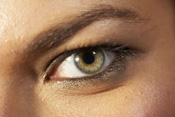
Computer monitors are used constantly. Millions of employees sit in front of them all day at work only to come home and sit in front of one again. Most employees cannot perform their job duties without using a computer. What happens to their eyes when they stare at the monitor hour after hour? Eye fatigue is a common symptom of using a computer often. With eye fatigue comes headache pain and visual distortion. When employees start experiencing eye fatigue, many of them turn to coffee and caffeinated sodas to "awaken" their eyes. The caffeine may come in useful for a few minutes, but eventually the eye fatigue will return. What normally happens when employees start experiencing eye fatigue is that they start becoming less productive. It may not be noticeable at first but soon you will see reductions in productivity which will start to impact your bottom line.
|
|
There are multiple things companies can do to reduce eye fatigue. The simple way to reduce eye fatigue is to start with the ergonomics of the computers. How far back are the employees sitting from the screen? Do they have armrests? If you can afford new desks that allow the employee enough room for their monitor and everything else, their eye fatigue will begin to minimize. Always place the monitor at least 20-26 inches away from the employee's eyes. This will provide them with enough room for their eyes to read the screen without absorbing the light from the screen. Several computer screens are set on a higher light setting. Instead of having the screen on the brightest setting, reduce the setting to a lower one or try using a tint. Computer screens should be below the brightness in the room. So if your employees want their screens brighter, they need to open up the blinds so the sunlight can come in.
Anti-glare computer screens are commonly used for employees that experience eye fatigue. The anti-glare computer screen attaches to your existing screen and distorts the glare coming off the screen. It actually will enlarge the wording and images on the screen, making it easier for the eyes to decipher.
If your employees do not like the anti-glare computer screens, ask them if they would wear computer vision glasses. Computer vision glasses cost about $30.00 and they come with a very weak prescription, normally 0.25. The computer vision glasses have a slight tint to them which reduces the glare and absorbs the light emitted from the computer screen. Employees that wear the glasses normally see a reduction in eye fatigue and headaches which normally accompanies it.
Break time is essential for employees that use the computer. Since some employees stare at a computer for 8 hours or longer, they need to have breaks where they can rest their eyes. Even if they do not take breaks from their job, they need to participate in other work activities that get them away from the computer screen. Even doing mundane tasks like filling envelopes, will give the employee a few minutes away from their computer screen and reduce their eye fatigue.
There is a reason why offices are normally painted white. The white is known for absorbing the computer and outside light and minimizing the glare in the office. If you have darker colors or colored walls, consider painting them a darker shade of white. Always use a matte finish when you paint because it has a dull vanish and the light will not bounce off of it.
If your employees wear contacts or glasses, make sure they wear them each day. Keep some eye drops on site to help employees that have dry eyes and encourage everyone to try using computer vision glasses.
Privacy Policy, Terms of Use