Why ISO Certification Is Great For Business

More and more companies are finding that ISO Certification will help their business look efficient and up to date. This certification shows that the company is practicing the best production and managerial techniques, decreasing waste and using Eco-friendly materials and produces goods that meet international safety and quality standards. With this certification, you can be sure that when you're going to ship off your products to a global market, you don't have to worry about catering to each country's specific codes and procedures, because the ISO ensures you're following them all.
Which Kindle Should You Buy?
There are 6 types of kindles available today, which makes choosing one a difficult task -especially for those of us who are indecisive!
What To Look For In A Quality Camera
When you're shopping for a camera, keep in mind what sort of pictures you intend to take with it.Some cheaper cameras come with fun settings, like sepia or high contrast monochrome.These change the color and quality of the photos, making them less realistic but lending a different feel emotionally.Though professional photographers don't usually use preset applications, the everyday photographer might find the settings helpful to their technique.Not only that, but these types of cameras cost around $200 are typically small enough to carry in your pocket, and are sturdier than their more professional counterparts.
What Is Swype?

Swype is a solution to a problem many cell phone and smart phone users have today. That problem is slow typing which can be frustrating and annoying at times. Most people can hardly do 10 words a minute, but experienced texters are lucky to do 50 words a minute. Compared to how fast our minds can move, and how fast we can type on a computer, this number falls short of what we want. So, Swype was created, and it addresses that slow texting problem. Swype is similar to what the name implies, and that is that instead of tapping the screen with a stylus or finger, you slide or Swype the stylus across the screen to create words.
What Is Fiber Optics?
We've been using copper wiring for over a hundred and fifty years, and it's no surprise that people are trying to find faster and more efficient ways of transmitting data, especially over long distances. One of the best competition for the outdated copper wires present in Ethernet, coaxial cables, and phone lines, is the fiber optic network.
What Is Cloud Computing?

Cloud computing is something that's going to make mobile technology as well as traditional desktop and laptop PCs a lot more integrated. Cloud computing or a Cloud drive is something where you store your information in a remote drive somewhere, and access it through the internet. The implications of cloud computing is that you can access your information through a wireless phone, through a tablet PC, through a laptop PC, through a desktop PC, and basically any other device that connect through the internet at any time and sometimes at the same time. This allows you to watch movies or videos on your phone or any of your electronic devices, or view documents and edit them from the various electronic devices or in some cases, work on projects in the same way Google Docs works. It means that you can work with a number of people over the internet on the same document, meaning that instead of each creating their own and then someone piecing it all together, you can have everyone working on the same document at the same time.
Using Touch Screen Technology
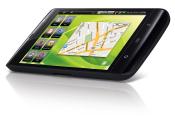
We've all seen touch screens, those little devices that allow us to interact with our computer, mobile device or tablet by using our fingers or a stylus to touch the display. It's just as easy to use a touch screen as it is a touch pad or track ball, and it has a lot of benefits.
Using Skype In Your Personal And Business Life

We've come a long way from the old telegraphs that were used over a century ago, coming through telephones and moving towards email and chatting, but today there is something that beats out all the rest, Skype and business conferencing. With Skype you can call someone on the computer, if you have a webcam and/or microphone, and chat with them, face to face. This technology has a lot of uses in today's world, both in your business and your personal life
The New iPad, Should You Buy One?
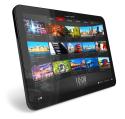
There have been 3 iPad versions so far -the original, the iPad two and the third that just came out. Most people agreed that the iPad 2 wasn't different enough from the original to be worth the upgrade. The only upgrades were: the iPad 2 is thinner and lighter than the original -the original having a 13.4mm thickness and 680g (WiFi) or 730g (WiFi + 3G) weight, whereas the iPad 2 weighs 601g (WiFi) or 607g (Verizon) or 613g (AT&T) and has a thickness of 8.8mm. Well, here's some exciting news: the iPad 3 is! While it doesn't offer any sort of aesthetic upgrade, or any external upgrade in the slightest, it boasts a huge rework of the innards and more geeky side of the product. It has faster graphics, comes with a camera (which is claimed to be as good as the iPhone 4S, one of the best smartphone cameras available). The newest iPad is also easier on the eyes, with better displayed text and imagery in general. It connects to the internet (and has a faster connection) and is generally a definite upgrade from the original iPad. If you already have the iPad 2, upgrading may be a more difficult choice -what if they come up with an even better version in a year or two, and you want that instead? Whether you should upgrade or not depends on how happy you are with your current one. If you enjoy taking pictures with your iPad but you find the quality frustratingly lacking, the iPad 3 will help. Similarly if you are a gamer you might prefer the superior graphics of the iPad 3. Then again, the iPad 2 already has very good
The Best Apps For 2012
Whether you're an Apple iPhone fan boy (or girl), an Android fanatic, or if you own any other app driven device, take a look at what's considered the best apps of 2012 in no particular order
Technology And Kids

Today is a time when technology is in every corner of our society, and the kids that are growing up in today's society no nothing else but the world filled with technology. Most kids in America are familiar with many different types of technology, and a lot of them own at least one. Mobile gaming consoles, other gaming consoles, smart phones, internet phones, tablets, laptops, desktops and other types of electronic devices just to name a few. Technology is entering our educational system, and is molding this generation into what you could call the tech generation. There are classes in our schools that teach children how to use the computer, and understand how they work and even program them. Elementary schools usually at least give kids opportunities to use computers to type up papers and a ton of computer labs at schools are open for kids to explore technology, play games and do a multitude of other stuff.
Staying In Touch With Loved Ones With Technology
Technology these days can sometimes be considered a bad thing, using up natural resources to function and making things a little too easy.There is one thing that can be said for it, though -it makes communicating with the ones you love easy.If you're an exchange student from China in the United States, you can still talk to you parents every day, face to face with audio/video technologies.If you're simply greeting a grandparent or loved one a few hours away, sending off a quick email works well too, and it's less time-consuming.Really, there is an option for every situation.You can even chat with a friend throughout the day while you're at work, in school or whatever else.
New Developments In Technology

Technology is ever changing, new things are always going to be developed, and it's good to be on top of all the new developments. Here are some new developments, not just new technology that has came out, but even old technology that is starting to be used in new things, in new ways.
Must Have Tech Items For 2012
Technology is changing the world, and if you're lagging behind the technology that is only updating and upgrading faster and innovation growing quicker than it has ever before, then you're going to be left behind. Advances are happening quickly, and there are a few must have tech items that you won't want to miss out on.
Internet Radio ApplicationsAnd How To Use Them

Internet radio is quickly becoming the big source of news and music stations. Since internet radios can be accessed all across the world and they can have such a wide range of audiences there are a ton you can choose from. Because of this you'll find that the perfect radio station for you is out there somewhere on the internet. There are tons of different options and genres to choose from, such as a smooth jazz section, or an indie rock section, or tons of different types of obscure or never heard of artists and bands. These types of internet radios allow you to explore all sorts of different and new and exciting music. Internet radio talk shows also cover a range of different topics, ranging from deep and soulful topics like philosophical discussions or religious radios, to comedic and lighter topics with a lot of silly and goofiness.